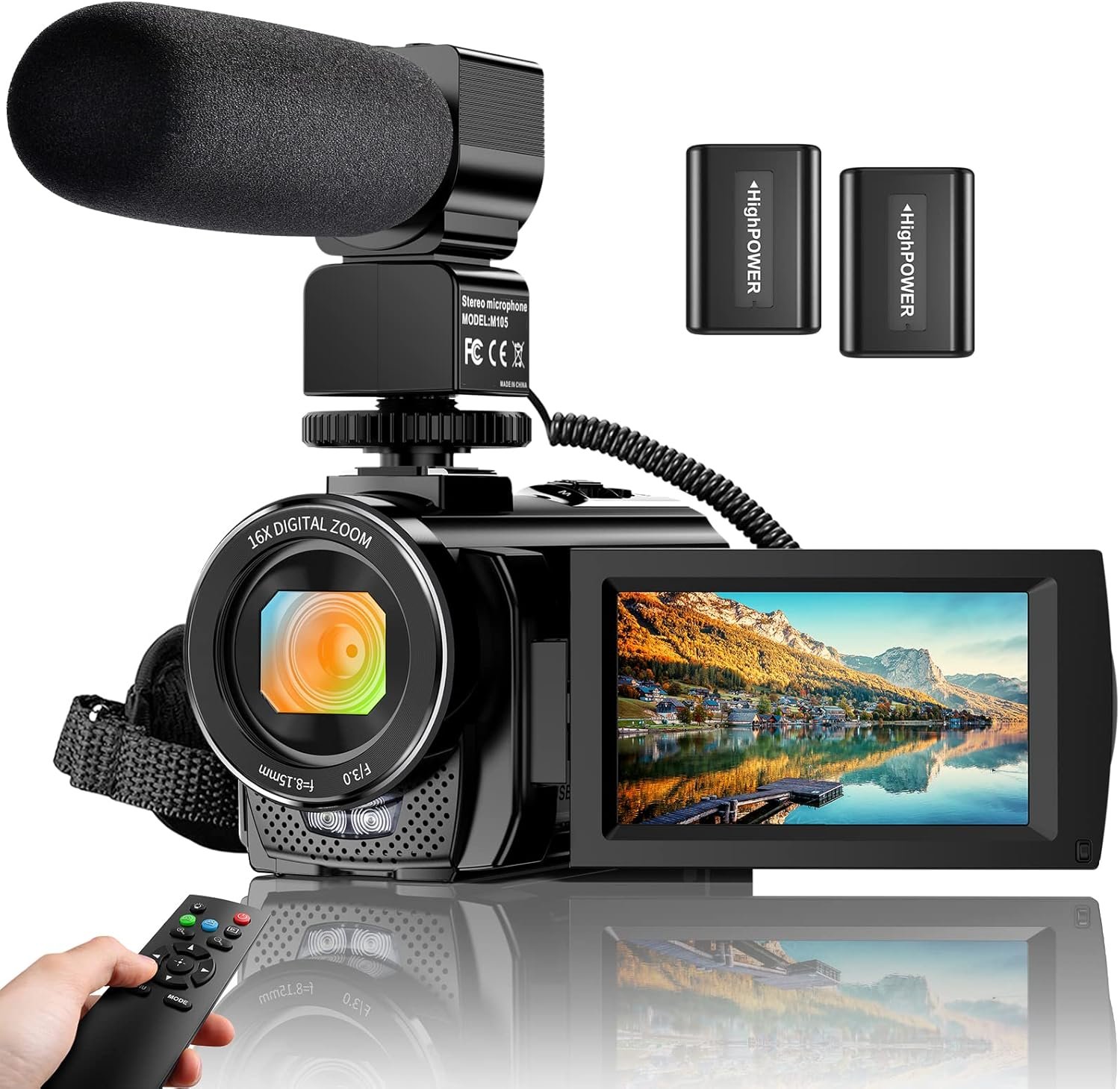
Video Camera Camcorder Digital YouTube Vlogging Camera Recorder FHD 1080P 24.0MP 3.0 Inch 270 Degree Rotation Screen 16X Digital Zoom Camcorder with Microphone,Remote Control and 2 Batteries



Price: $89.99
(as of Feb 06, 2026 03:43:45 UTC – Details)
Product description

Warm Tips:
Please format the memory card through your computer when you first use the camera.(The card is Not included, need to purchase sepatately)The camera supports SD memory card and MMC card. (4GB to 128GB)Please carefully read the user manual before use. The camera is design for amateurs, not for Professional users.The camcorder doesn’t support manual focus, the lens is fixed. Please confirm the focusing distance is 1.5 meters or more. If you need close-up shots, please use a macro lens and keeping 10-20 cm distance from the object.

270 Degree Rotation & 3″ IPS LCD Screen
The video camera camorder with a 3” IPS 270 degree rotation lcd screen. Easily shoot great images by viewing the screen.

Time-Lapse Recording
The time-lapse function allows you record the slow process of plant growth or sunrise and sunset.

16X Digital Zoom & Pause function
Pause the video when you need to convert the scene without reopening a new file, which makes it easier for you to upload and edit your videos.

Video Camera Specifications:
Image Resolution: 24M(5600×4200); 20M(5200×3900); 16M(4608×3456); 12M(4000×3000); 10M(3648×2736); 7M-Wide(3648×2048 HD); 5M(2592×1944);3M(2048×1536); 2M-Wide(1920×1080 HD) Video Resolution: 1920*1080P(FHD)/30FPS, 1280*720(HD)/30FPS, 640*480 Photo Format: JPG Video Format: AVI Digital Zoom: Max. 16X Remote Control: Supported Self-timer: 2s/5s/10s White Balance: Auto/Daylight/Cloudy/Fluorescent /Tungsten Exposure Compensation: -3.0 ~ +3.0 Operation Mode: Video/Photo/Playback. Operating System Requirement Windows XP, Windows Vista, Windows 7, Windows 8, Windows 10, Mac 10.2 Focal Distance:f=8.15mm Aperture:F/3.0 Auto Off: 3mins /5mins /10mins /OFF

Webcam Video Camera & TV Output
You can use this function for video chatting or live streaming. By connecting the computer with a USB cable, then choose the PC CAM mode as a webcam. (Please download the software AMCAP before using the PC CAM function)
You can output the files of camcorder by the cable comes with the package, playback the unforgetable memories taken by camera through remote control with TV.

How to Format SD Card?
Windows:1.Insert SD card to Nano S and press the power button to turn it on.2.Connect the Nano S to your computer via the USB connector.3.Click ‘My Computer’ -> right click ‘Removable disk’ -> click ‘Format’.4.Select ‘exFAT’ in File system, ‘128 kilobytes’ in Allocation unit size -> click ‘Start’ to format.
Mac: 1.Insert SD card to Nano S and press the power button to turn it on. 2.Connect the Nano S to your computer via the USB connector. 3.Run ‘Disk Utility’ applications on mac -> select ‘Ambarell A9 DSC EVK Platf Media’ -> click ‘Erase’
Video Camera Camcorder: With 8 mega pixel CMOS image sensor it records 30fps movies in 1080p and 60fps in 720p resolution. You can capture vibrant and extremely realistic images; Ideal choice for amateurs and beginners to take selfies and start filming.
Camcorder with Microphone and Remote: This camcorder has built-in and external microphone. The external microphone enhances sound recording volume and reduces noise. It comes with a remote control,no one will miss any precious moment.
Multifunctional Camcorder: The camcorder supports face detect, smile capture, anti shake, data stamp, playback modes, TV output, and pause function etc. With the pause function, you can pause the video when you need to convert the scene without reopening a new file, which makes it easier for you to upload and edit your videos.
Webcam Video Camera: You can use this function for video chatting or live streaming. By connecting the computer with a USB cable, then choose the PC CAM mode as a webcam.( Please download the software AMCAP before using the PC CAM function)
Recording While Charging: The video camera comes with 2 3.7V 1500mAh batteries, and it supports recording while charging. If you have any question or suggestion, please directly message us.
Does the product not work perfectly? In a different environment, the camera’s captured effect may be affected, and adjustments to the white balance or exposure parameters may be necessary. If you encounter difficulties while using accessories, please contact us, and we will provide you with professional guidance.